Brontide-oot
A Switch 2 emulator build based on Fritchii v5.3 (by Frizti), Lichii (by zortos293), and Dynamic FPS (by Dark), tuned for The Legend of Zelda: Ocarina of Time (Switch 2 Edition) with water and lighting fixes, DLSS support, ahead-of-time shader preparation, and RenHDrum 0.3.0 per-controller HD Rumble.
How it works, and why: HD Rumble for Switch 2 games
What it looks like
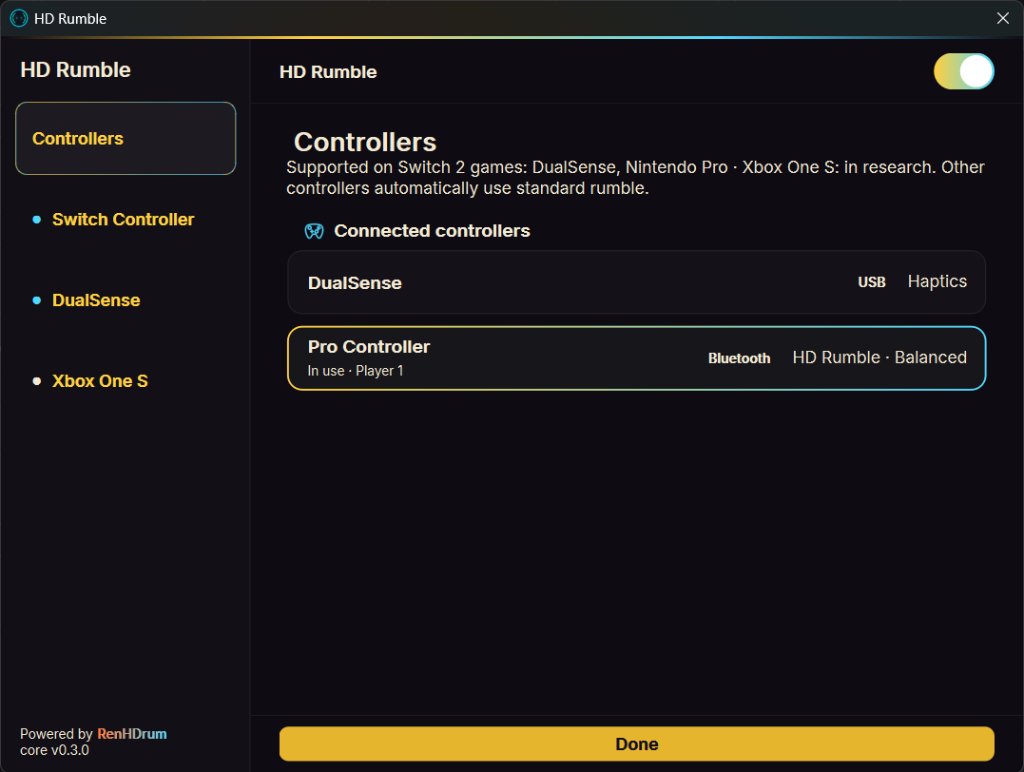
Supported controllers on Switch 2 games
✅ DualSense · ✅ Nintendo Pro · 🔬 Xbox One S (in research)
01 DualSense (✅ Supported)
Wired USB gives highest fidelity (48 kHz voice-coil with 5.3 ms slot peak-hold so menu ticks are never skipped). Bluetooth works via report 0x32. Automatically runs Preset [3].
02 Switch Pro Controller (✅ Supported)
Wired USB (15 ms pacing) and Bluetooth (defaults to Level 2 pacing, 45 ms). Automatically runs Preset [4] with a 25 ms low-frequency boost and stick drift filtering.
03 Xbox One S (🔬 In research)
Currently in research for Switch 2 Mode 2 signals. Controllers outside the supported list automatically fall back to standard SDL rumble.
Rumble settings are saved to %APPDATA%\RenHDrum\renhdrum-settings.txt, shared across Brontide builds.
Setting up
- Download the zip, unpack it into its own folder and run
brontide-oot.exe. - Add your legally dumped console keys and firmware into
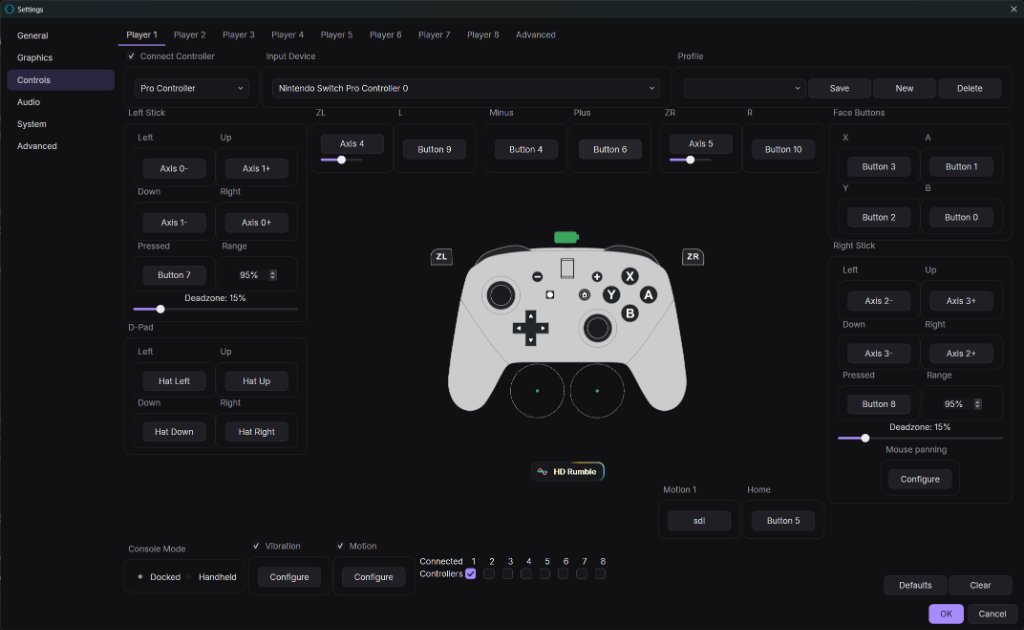
user\keys\(not included in the zip). - Plug in your controller. Open Emulation → Configure → Controls and click the ⚡ HD Rumble pill button below the controller picture.
- Make sure the main HD Rumble switch at the top is turned on (Accurate Vibration is automatically enabled) and click Done. Launch the game and enjoy.
Important notes & credits
- Turning on HD Rumble automatically enables Accurate Vibration and bypasses the 15 ms frontend filter, ensuring micro-vibrations (grass cutting, footsteps) are never dropped.
- Upstream automatic updates are completely disabled so future upstream patches will not overwrite your HD Rumble setup.
- Includes Switch Pro Controller right-stick upward drift filtering and clean USB controller release on exit.
- Includes ahead-of-time shader preparation to eliminate stutter on first play, Graphite theme with home screen and in-game controls overlay, reduced RAM/VRAM footprint, and legacy GPU mesh shader fallback.
- Based on Fritchii v5.3 by Frizti, Lichii by zortos293, Dynamic FPS by Dark, and the Eden emulator (GPL-3.0-or-later).
Experimental build for trying HD Rumble in Switch 2 games. I do not encourage general downloading; it is provided here so enthusiasts can verify research results. Please provide your own legally dumped games, keys, and system software.
Download Brontide-oot
Coming soon.
Brontide-oot for Windows x64 (zip) · · MB · GPL-3.0
SHA-256 of the zip:
Source code (GPL-3.0, zip) ( MB · SHA-256: )
The exe is unsigned, so Windows SmartScreen may say "Windows protected your PC". Verify the SHA-256 hash above, click "More info", and select "Run anyway".
The archive contains no keys, no system software, and no game files. Brontide-oot is licensed under GPL-3.0 and based on Fritchii v5.3 by Frizti.